Gumroad offer codes / discounts: honest seller self-check
Not legal or tax advice. Steps and limits below come from Gumroad Help articles as of 2026-10-15. Re-open them before you launch a flash sale. This article does not link or endorse any of our live products.
Here the job is narrower: how discount / offer codes work, what Help documents about limits and stacking, and what you should not promise buyers or invent about fees.
1) Lead answer
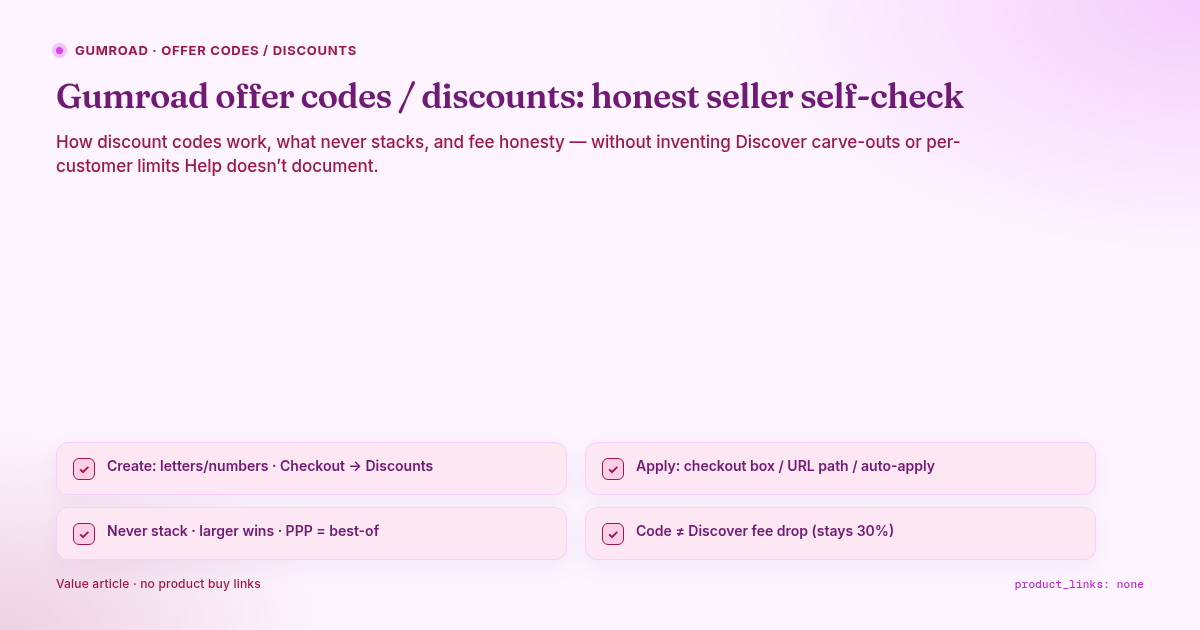
Create codes on the product Checkout page → Discounts → New discount (auto-generated code; you may replace it). Codes may contain only numbers and letters. Pick specific products or All products (with optional Excluded products) (Help 128).
Apply paths: checkout input (if you toggle showing it when a discount is available), URL path
…/{ProductID}/{YourDiscountCode}(Help 128, Help 270), and/or Automatically apply discount code on the product (or bundle) pricing section.Discounts never stack. If a customer arrives with a different code while auto-apply is on, Gumroad applies whichever discount is larger. Separately, only one code per product. PPP vs code → customer gets the best discount; forcing the code instead means disabling PPP for everyone (Help 128).
Fees / Discover: Help documents direct fees vs Discover flat 30% (Help 66, Pricing). Help does not say that using an offer code changes the Discover fee percentage. Dashboard/analytics can show whether a sale was Discover and/or used a discount code (Help 268, Help 74). Exact net on a discounted Discover sale → verify on your CSV (not verified; don’t invent arithmetic beyond “30%”).
2) Documented controls (seller checklist table)
| Control | What Help 128 says | Honesty trap |
|---|---|---|
| Code charset | Letters and numbers only | Don’t promise emoji / spaced codes |
| Product scope | Selected products or All products + Excluded | Excluded products don’t count toward minimum qualifying amount |
| Checkout input | Toggle “Only if a discount is available” — else URL/param only | Buyers won’t see a box if you left it off |
| Auto-apply | Pick an existing, non-expired code that applies to the product; UI shows strikethrough + “applied at checkout” | While auto-apply is set, Gumroad blocks edits that would stop that code applying — turn setting off first |
| Limit quantity | Caps overall uses (default unlimited), not per customer; each item in cart = one use | Don’t promise “one use per person” unless you have another control — Help’s limit is global uses |
| Partial cart | If remaining uses < cart needs, discount covers what it can; rest undiscounted; a product needs its full quantity to fit remaining uses | Don’t promise the whole cart is always covered |
| Validity period | Schedule start/end without losing stats | Expired auto-apply → full price until you change settings |
| Min $ / min qty | Min spend on the discount’s product(s); min quantity needs quantity toggle on the product | Min qty codes fail silently for buyers if quantity isn’t allowed |
| Memberships | Duration: Forever vs Once (first period); or Tier discount by ownership duration (% only; first tier starts at 0 months; replaces Forever/Once UI) | Don’t advertise fixed-amount “loyalty tiers” — tiers need Percentage |
| Existing customers | Limit to buyers who already purchased selected product(s); guest email / confirmed-account matching rules | Don’t promise affiliate-style “anyone with the code” if this toggle is on |
| Affiliate + code | Documented URL combine with affiliate_id |
Still one discount path — not two stacked % |
3) What not to promise buyers
| Promise | Documented reality |
|---|---|
| “Stack this code with another code” | Only one code per product; auto vs link → larger wins, never stack (128) |
| “Stack with PPP for double off” | System picks the better of PPP vs code (128) |
| “Everyone gets the code in the checkout box” | Box only if you enabled it; otherwise URL/auto only (128) |
| “Limit 1 per customer” via Limit quantity alone | Quantity limit is global uses, not per customer (128) |
| “Discover fee drops because it’s discounted” | Discover sales: flat 30% including processing (66); no Help 128/79 line that offer codes change that rate → any special Discover+code fee carve-out is not verified |
| “This code boosts Discover ranking” | Help 79 covers eligibility/tags/category — not offer-code ranking effects → not verified |
| “100% off forever membership” without reading duration | Membership discounts have Forever / Once / ownership tiers (128) — set deliberately |
| Exact take-home after code + card/PayPal | Help 66: stated Gumroad % lines do not include card processing / PayPal fees on the direct-fee bullet — export CSV for truth |
4) Fees & Discover — only what is documented
From Gumroad’s fees and Pricing:
| Path | Documented fee line |
|---|---|
| Direct / profile / your links (Help 66 “sales made on Gumroad’s website”) | 10% + $0.50 + sales tax per transaction; that line does not include credit-card processing (2.9% + $0.30) or PayPal fees |
| Discover marketplace | Flat 30%, includes processing fees |
| High volume | After $20,000 paid sales in a calendar month, new direct sales that month → 5% + $0.50; Discover stays 30%; resets monthly |
Discover Help is about eligibility (payout filled, ~$100 genuine balance, risk review, product category/ratings, etc.). It does not document offer-code interactions with ranking or fee %.
Operational habit: after a promo, open Sales dashboard — Help notes you can see if the customer found the product via Discover or if a Discount code was used (Help 268). Analytics CSV columns include Discount Code, Item Price (negative ≈ discount), Discover? (Help 74).
5) Pre-launch self-check
| # | Check | Pass |
|---|---|---|
| 1 | Code charset / products / exclusions correct | Test URL on an unpublished or cheap test product |
| 2 | Limit quantity math matches “items not people” | You’ve calculated uses for multi-qty carts |
| 3 | Validity timezone / end date | You know when strikethrough disappears |
| 4 | Auto-apply vs campaign link | You accept larger-wins / no stack |
| 5 | PPP policy | You accept best-of, or knowingly disable PPP globally |
| 6 | Membership duration / tiers | Forever vs Once vs ownership tiers match the landing-page copy |
| 7 | Existing-customer gate | Support script ready for “confirm your Gumroad email” cases |
| 8 | Fee honesty on marketing | You did not claim Discover 30% becomes 10% because of a code |
| 9 | Refund path | Promo buyers still follow your refund policy |
| 10 | No self-product spam in this article | product_links: none |
6) What this article does not do
It does not rehash Discover eligibility thresholds, refund/chargeback economics, Content/Library updates, or non-US tax/payout. Re-fetch Help 128 / 66 / 79 on the day you publish a campaign.
Sources
| # | Claim | Source | Status |
|---|---|---|---|
| 1 | Create codes; scope; auto-apply; limits; membership; existing customers; stack/PPP/affiliate FAQs | https://gumroad.com/help/article/128-discount-codes | WebFetch + data-page → 128-discount-codes-article.* |
| 2 | Discount in URL path | https://gumroad.com/help/article/270-url-parameters | data-page → 270-url-parameters-article.* |
| 3 | Direct 10%+\(0.50; Discover 30%; high-volume 5%+\)0.50; Discover stays 30% | https://gumroad.com/help/article/66-gumroads-fees | WebFetch + data-page → 66-fees-article.* |
| 4 | Pricing marketing 10%+$0.50 / 30% Discover | https://gumroad.com/pricing | curl → pricing.html / pricing-article.txt |
| 5 | Discover eligibility overview (no offer-code fee carve-out stated) | https://gumroad.com/help/article/79-gumroad-discover | data-page → 79-discover-article.* |
| 6 | Sale row: Discover or Discount code | https://gumroad.com/help/article/268-customer-dashboard | data-page → 268-sales-dashboard-article.* |
| 7 | CSV Discount Code / Item Price / Discover? | https://gumroad.com/help/article/74-the-analytics-dashboard | data-page → 74-analytics-article.* |
| 8 | Offer code changes Discover fee % or ranking | — | not verified (not in Help 66/79/128) |
| 9 | Exact net formula discount × Discover 30% | — | not verified (use CSV) |
| 10 | Any self-product buy URL | — | none |